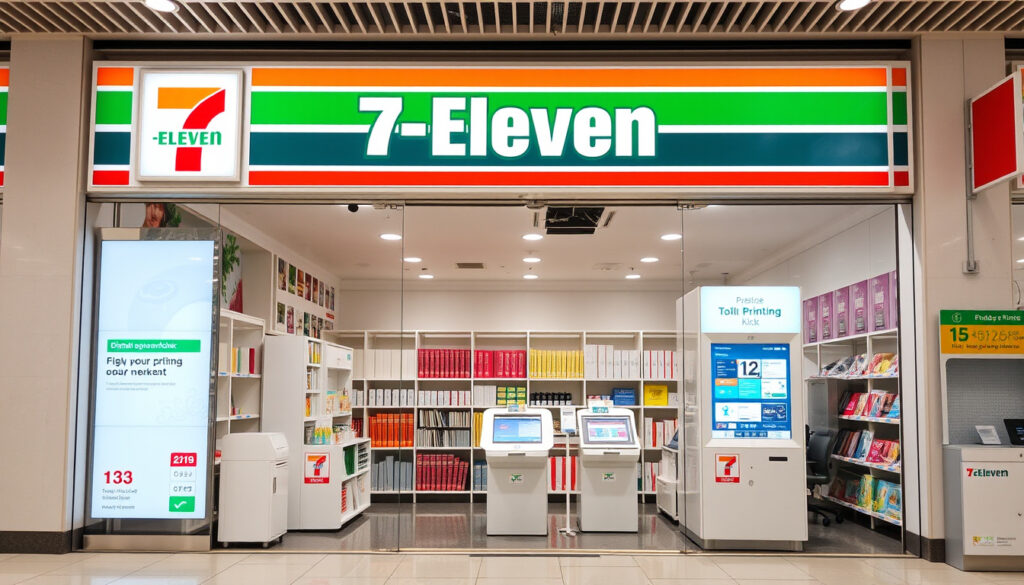
7-11 Printing Service Singapore: How to Print, Prices & Locations
There are moments when you need a document printed and every dedicated print shop seems to be closed. If you’ve wondered whether a 7-Eleven in Singapore can help, the answer isn’t as straightforward as finding a Slurpee. This guide cuts through the confusion and explains exactly what printing options exist at 7-Eleven in Singapore, what they cost, and when you’re better off going somewhere else.
7-Eleven outlets in Singapore with printing kiosks: potentially over 200 ·
Cost per black & white page (A4): $0.20 SGD ·
Cost per color page (A4): $0.60 SGD ·
Supported file formats: PDF, Word, JPEG, PNG ·
Maximum file size per upload: 25 MB
Quick snapshot
- Upload file via app or web portal (Fujifilm Business Innovation solution provider)
- Visit any 7-Eleven with Fujifilm kiosk (Fujifilm Business Innovation solution provider)
- Select file, choose settings, pay, and collect (Fujifilm Business Innovation solution provider)
- B&W: $0.20/page, Color: $0.60/page (A4) (MeowPrint Singapore printing cost analysis)
- Accepted: NETS, Visa, Mastercard, mobile wallets (MeowPrint Singapore printing cost analysis)
- No bulk discounts (MeowPrint Singapore printing cost analysis)
- Over 200 outlets with kiosks across Singapore (7-Eleven Singapore store locator)
- 24/7 at 24-hour stores (7-Eleven Singapore store locator)
- Kiosks are self-service only (7-Eleven Singapore store locator)
- Exact number of outlets with kiosks — official count not published by 7-Eleven (7-Eleven Singapore no official page)
- Whether printing services are available at all 7-Eleven outlets or only selected ones (MeowPrint Singapore service confirmation)
Six key specs, one pattern: while 7-Eleven Singapore operates its own store locator, it has not published a dedicated printing service page, meaning users rely on third-party sources and community reports for details.
| Specification | Details |
|---|---|
| Service provider type | Self-service kiosk |
| Vendor | Fujifilm Business Innovation |
| Paper sizes supported | A4 only |
| Max file size | 25 MB |
| Print from mobile | Yes (app or web upload) |
| Print from USB | Yes |
Does 7-Eleven Provide Printing Services?
Yes, but only at selected 7-Eleven outlets in Singapore. The service is available through self-service Fujifilm kiosks — not at the store counter. 7-Eleven Singapore official site lists parcel pickup and store locator features but does not mention printing in its primary navigation. However, analysis from MeowPrint Singapore printing services roundup suggests the service exists, though some sources express uncertainty about its availability at all locations.
The lack of an official 7-Eleven Singapore page about printing means a user must rely on kiosk vendor documentation and community reports to confirm service details.
Which 7-Eleven outlets have printing kiosks in Singapore?
- Outlets equipped with Fujifilm Multi-copy machines — these are self-service kiosks that handle documents and photos. Fujifilm Business Innovation product page confirms the Seven-Eleven Multicopy app lets users print photos and documents via Wi-Fi connection to these machines.
- The Apple App Store listing for Seven-Eleven Multicopy describes it as a free app for printing through Wi-Fi to 7-Eleven Multi-copy machines, reinforcing that the service is app-driven.
- To find the nearest outlet with a kiosk, use the 7-Eleven store locator or the Fujifilm app.
Is 7-11 printing available 24 hours?
- Yes, at stores with 24-hour operating hours. 7-Eleven Singapore official site indicates many outlets operate 24/7, but printing kiosk availability depends on individual store hours. In comparison, MailMate Japan convenience store guide reports that 7-Eleven, Lawson, and FamilyMart printing in Japan is available 24/7, 365 days a year — suggesting Singapore may follow a similar model.
The implication: if you need a late-night print run, finding a 24-hour 7-Eleven with a Fujifilm kiosk is your best bet, but it’s worth calling ahead or checking the app for availability rather than assuming every outlet is equipped.
How to Print a Document at 7-Eleven?
Printing at a 7-Eleven in Singapore follows a straightforward workflow: upload your file via the Fujifilm Multicopy app or web portal, then pick it up at a kiosk. Alternatively, you can insert a USB drive directly into the machine. Google Play listing for 7-Eleven Multicopy app description notes that users pay when they print or save scanned data, confirming the payment model.
How to upload a document from a smartphone?
- Download the Seven-Eleven Multicopy app from the App Store or Google Play.
- Open the app, select your document, and upload it. The app generates a print code or sends the file to the kiosk queue.
- At the kiosk, enter the code or retrieve your file from the queue, choose settings (B&W/color, single/double-sided), pay, and collect.
How to print from a USB drive?
- Insert the USB drive into the kiosk’s USB port.
- Select your file from the on-screen menu. Supported formats include PDF, Word, JPEG, and PNG.
- Choose print settings, pay, and collect.
Step-by-step guide to 7-11 printing process
- Upload: Use the app (iOS/Android), web portal, or USB drive to send your document to the kiosk. Maximum file size: 25 MB.
- Visit: Go to any 7-Eleven with a Fujifilm Multi-copy kiosk.
- Select: On the kiosk touchscreen, locate your file and choose print settings (B&W or color, number of copies).
- Pay: Use NETS, Visa, Mastercard, or mobile wallets to pay per page.
- Collect: Wait for the machine to print — typically a few seconds per page — and pick up your documents.
The mobile upload workflow means a user can start a print job from home or office, saving time at the store — but only if they’ve confirmed the kiosk is operational before heading out.
How Much Does It Cost to Print at 7-11?
Cost is defined by page color and quantity, with no bulk discounts available. MeowPrint Singapore printing price analysis reports that A4 color printing in Singapore commonly costs about 25 cents to 50 cents per page depending on quantity, while 7-Eleven’s color price sits at the higher end of that range. For comparison, MeowPrint Singapore A3 cost guide notes that A3 color printing commonly costs about 50 cents to S$1 per page.
Black and white printing price at 7-11 Singapore
- $0.20 SGD per A4 page.
- No minimum page requirement — you can print a single page.
Color printing price at 7-11 Singapore
- $0.60 SGD per A4 page.
- Payment accepted: NETS, Visa, Mastercard, and mobile wallets. Cash is not accepted.
Are there bulk discounts?
- No. The per-page price remains the same regardless of quantity. This makes 7-Eleven a convenient but not cheap option for large print jobs.
What Are the Pros and Cons of Printing at 7-Eleven?
Upsides
- 24/7 availability at many outlets — no need to plan around business hours.
- No appointment needed; no minimum quantity.
- Simple mobile upload workflow via the Fujifilm Multicopy app.
- Widespread network — over 200 outlets across Singapore.
- Accepts multiple payment methods: NETS, Visa, Mastercard, mobile wallets.
Downsides
- Limited to A4 paper size only — no A3, legal, or custom sizes available.
- No stapling, binding, or finishing services — you get loose pages only.
- Higher per-page cost than dedicated print shops or library printers (B&W $0.20 vs. $0.10 or less elsewhere).
- No staff assistance — you must use the kiosk interface yourself.
- No official 7-Eleven page confirming printing service details; relies on third-party sources.
The trade-off: 7-Eleven printing is optimized for convenience, not cost or quality. For a traveler needing a boarding pass or a last-minute document, it’s perfect. For a student printing 50 pages of lecture notes, it’s expensive.
Where to Print Documents in Singapore Near Me?
If 7-Eleven doesn’t meet your needs, Singapore offers several alternatives. MeowPrint Singapore printing services roundup identifies library printers, university campus printers, and dedicated print shops as common options. The National Library Board provides free printing for members at some locations, while university students can use campus printing services at lower rates.
How to find the nearest 7-Eleven with printing kiosk?
- Use the 7-Eleven Singapore store locator to find outlets, then check the Fujifilm Multicopy app for kiosk availability.
- Alternatively, search “Fujifilm Multi-copy machine” or “Seven-Eleven Multicopy” in the app stores to see user reviews mentioning specific outlets.
Alternative printing locations in Singapore (library, school, print shop)
- National Library Board (NLB) printers: Free printing for members at some libraries, though limited to certain quotas and paper sizes. MeowPrint Singapore library option notes this as a budget-friendly alternative.
- University campus printers: Students at NUS, NTU, or SMU can use campus print services at per-page costs often below $0.10 for B&W.
- Dedicated print shops (e.g., Meowprint): Lower per-page cost for bulk jobs, and offer binding, stapling, and large-format printing. MeowPrint Singapore full guide positions itself as a cost-effective alternative to convenience store printing.
What this means: if convenience is your priority, 7-Eleven is the most accessible option. If cost or finishing matters, the alternatives listed above will better serve your needs.
Related reading: Printing Services Singapore — Complete Guide · How to Print at 7-Eleven in Japan
says.com, colorcopiestoday.com, city-cost.com, instagram.com, facebook.com, youtube.com
Frequently Asked Questions
Do I need an app to print at 7-11 Singapore?
Yes, for mobile uploads. Download the Seven-Eleven Multicopy app from the App Store or Google Play. You can also use a USB drive directly at the kiosk without the app.
Can I print photos at 7-Eleven Singapore?
The Fujifilm kiosks support photo printing from mobile devices or USB drives. However, photo print costs and quality are not officially published — check the app for supported photo sizes and prices.
Can I print A3 size documents at 7-11?
No. The kiosks only support A4 paper size. For A3 printing, visit a dedicated print shop like Meowprint or a library with A3 capability.
Does 7-Eleven print in color?
Yes. Color A4 printing costs $0.60 per page. Payment is via NETS, Visa, Mastercard, or mobile wallets. Cash is not accepted.
How long does it take to print at 7-11?
Printing speed is fast — typically a few seconds per page in B&W, slightly longer for color. The entire process (upload to collect) can take under 5 minutes if the kiosk is free.
Can I use cash to pay for printing at 7-Eleven?
No. Cash is not accepted at the kiosks. Use NETS, Visa, Mastercard, or mobile wallets like Google Pay or Apple Pay.
Is there a minimum number of pages to print at 7-11?
No minimum. You can print a single page. In contrast, the Malaysian Print@7E service requires a minimum charge of RM1 for up to three pages.
More related posts
 A3 Paper Size in CM: Dimensions, Comparisons & Chart
 Singapore 1 Dollar in Bangladesh: SGD to BDT Rate
 Catholic Church Near Me Dublin: Mass Times & Etiquette
 Long John Silver Singapore: Outlets, Menu, Prices & Closures
 Can Dog Eat Orange – Safety, Benefits and Risks Guide
 Civil Servant Year-End Bonus 2025: 1.3 Months & $600
 The Summer I Turned Pretty Book: Age Rating & Ending
 Cash Direct Pte Ltd – Licensed Money Lender Singapore