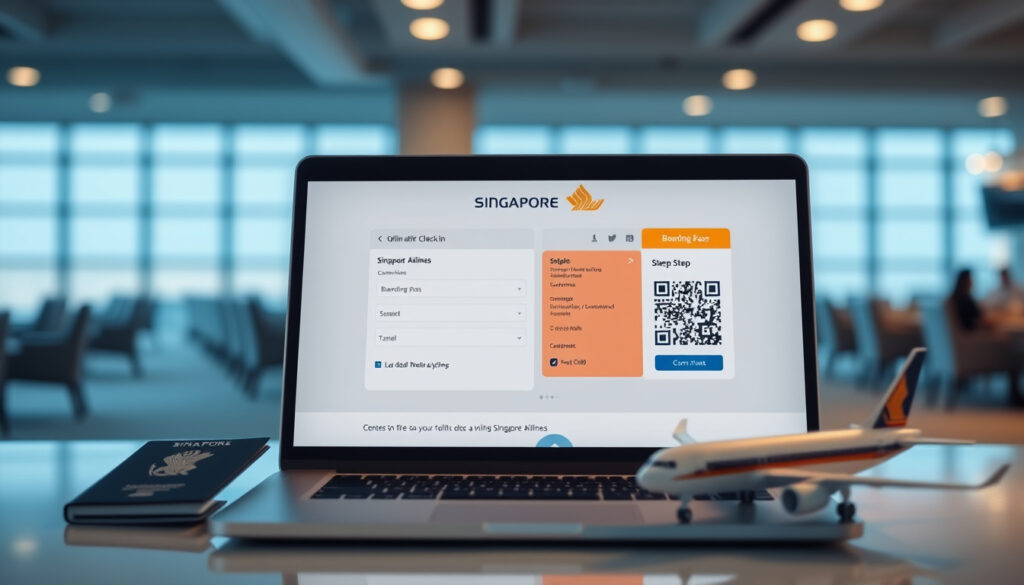
SIA Online Check In: Times, Steps & Boarding Pass Guide
Few things ruin a flight day faster than standing in a check-in queue when you could’ve skipped it entirely. Singapore Airlines lets you check in online from 48 hours before departure, and the process takes most travelers less than five minutes — if you know the shortcuts. Here’s everything you need to complete SIA online check-in without hitting a snag.
Online check-in window: 48 hours to 1.5 hours before departure · Primary platform: SingaporeAir website or mobile app · Login option: PPS Club / KrisFlyer membership or email · Boarding pass access: Download or email after check-in
Quick snapshot
- Check-in opens 48 hours before departure (Singapore Airlines Official)
- Website check-in closes 1.5 hours before departure (Singapore Airlines Official)
- Mobile app stays open until 1 hour before departure (Singapore Airlines Official)
- Exact baggage weight and piece limits vary by route and fare class
- Digital boarding pass acceptance depends on destination country regulations
- SIA Self Service Check-In Guide updated November 2024 (Singapore Airlines Official PDF Guide)
- Boarding gate closes 15 minutes before departure (Singapore Airlines Official)
- Download mobile boarding pass after check-in
- Save to Apple Wallet or Google Wallet for airport scanning
- Use automated bag drop if checking bags
| Item | Details |
|---|---|
| Check-in opens | 48 hours before flight |
| Check-in closes (website) | 1.5 hours before departure |
| Check-in closes (mobile app) | 1 hour before departure |
| Platforms | Website and mobile app |
| Login required | PPS Club / KrisFlyer or email with booking reference |
| Boarding gate closes | 15 minutes before departure |
| Minimum passenger age | 18 years old |
| Booking reference format | 6 characters |
| E-ticket number format | 13 digits |
| Boarding pass types available | 4 (counter print, digital PDF, mobile app, kiosk print) |
How to check-in SIA online?
The Singapore Airlines check-in process gives you two main routes: the website at Singapore Airlines Official or the SingaporeAir mobile app. Both are straightforward, though the app offers a few extras like digital menu browsing during seat selection.
Step-by-step on SingaporeAir website
- Visit singaporeair.com and navigate to the online check-in page
- Enter your six-character booking reference or 13-digit e-ticket number along with your last name
- Select your flight from eligible bookings displayed
- Choose your seat from the available map
- Confirm passenger details and any baggage requirements
- Download your digital boarding pass or have it emailed to you (Singapore Airlines Official PDF Guide)
Using the SingaporeAir mobile app
The SingaporeAir mobile app (available on Google Play and the Apple App Store) allows check-in from 48 hours up to 1 hour before departure. After completing check-in, you can generate a mobile boarding pass, save it to Apple Wallet or Google Wallet, and at Singapore Changi Airport, even generate baggage tags directly through the app.
Login with membership details
PPS Club and KrisFlyer members can log in with their membership credentials for a faster experience. The auto check-in widget on the Manage Booking page can even check you in automatically for eligible bookings (Singapore Airlines Official PDF Guide).
Most travelers finish the website process in under five minutes. The app takes roughly the same time but offers the advantage of having your boarding pass instantly accessible on your phone — no printing required.
How early can I online check-in with Singapore Airlines?
Singapore Airlines opens online check-in 48 hours before your scheduled departure. This applies to both the website and the mobile app. The closing time differs slightly between channels: the website closes check-in at 1.5 hours before departure, while the mobile app keeps the gate open until just 1 hour before (Singapore Airlines Official).
Standard time window for check-in
The standard 48-hour opening window applies to most international routes. You can access check-in from anywhere — at home, in a hotel, or at a café — as long as you have your booking reference and internet connection.
International vs domestic variations
For flights departing from the USA, Singapore Airlines adjusts the boarding pass availability to 24 hours before departure rather than the standard 48-hour window (Singapore Airlines Official). This is a regulatory requirement specific to US-bound flights.
Last-minute cut-off times
If you’re using the website, complete check-in no later than 1.5 hours before departure. If you’re at the airport and haven’t checked in yet, Singapore Airlines recommends arriving early enough to handle any issues at the counter. At Singapore Changi Airport specifically, cross-terminal check-in closes 60 minutes before departure (Singapore Airlines Official PDF Guide).
Is it better to check-in online or at the airport?
For most Singapore Airlines passengers, online check-in is the faster option by a significant margin. Skipping the counter queue means you can head straight to security (or the gate) with your mobile boarding pass ready to scan.
Benefits of online check-in
- Avoid standing in check-in queues that can stretch long during peak travel periods
- Choose your seat from the full availability map rather than what’s left at the counter
- Download or email your boarding pass immediately after completing the process (Singapore Airlines FAQ)
- Save time and reduce airport stress before security
When airport check-in is necessary
Certain situations require a visit to the check-in desk regardless of online eligibility. Passengers under 18 traveling without an accompanying adult (age 18 or older) cannot check in online or via the app (Singapore Airlines Official). Similarly, if your booking includes preceding flights that haven’t been checked in yet, you’ll need to handle all segments at the counter.
Time savings and convenience
The time difference is tangible. Online check-in can be completed in minutes from anywhere, while airport check-in involves queuing, document verification, and potential wait times. According to user reports on travel forums, some passengers who checked in online still had to visit the desk if they had special requests or if their boarding pass didn’t generate correctly — so it’s worth confirming your digital pass is valid before leaving for the airport.
Online check-in shaves an estimated 20-40 minutes off your airport time compared to counter check-in. For travelers with only carry-on luggage, the advantage is even greater — you may be able to proceed directly to the gate without visiting any counter at all.
Singapore Airlines online check in boarding pass
Once you’ve completed online check-in, Singapore Airlines gives you four boarding pass options. The right choice depends on your destination airport and what technology it supports.
Downloading your boarding pass
After successful online check-in, you can download your boarding pass as a digital PDF directly from the website or have it sent to your email. Mobile app users get the boarding pass generated within the app itself (Singapore Airlines Official PDF Guide).
App vs website access
The mobile app offers the most seamless experience: your boarding pass lives on your phone and can be added to Apple Wallet or Google Wallet for one-tap access at airport scanners. The website option requires you to save or print the PDF yourself. Digital or mobile boarding pass eligibility does depend on your destination accepting these formats and completing required travel documentation checks (Singapore Airlines FAQ).
Printing options
Not all airports accept mobile boarding passes. If your destination doesn’t support digital passes, you can print your boarding pass at a Singapore Airlines kiosk at the airport after checking in online, or have it printed at the check-in counter (Singapore Airlines FAQ).
If you change your seat after generating a boarding pass, you must re-download a new one — the old pass won’t update automatically. Passengers who skip this step have been denied boarding at the gate.
Why can’t I check-in online with Singapore Airlines?
Several factors can block you from online check-in eligibility. Understanding these restrictions beforehand saves you from arriving at the airport unprepared.
Common reasons for issues
- Passenger age below 18 traveling without an accompanying adult (18+)
- Preceding flights in the same booking not yet checked in
- Check-in window hasn’t opened yet (before 48 hours before departure)
- Check-in window has closed (after 1.5 hours before departure on website, 1 hour on app)
- Special service requests that require in-person verification
Baggage and international restrictions
Some fare classes or routes have specific baggage policies that trigger desk requirements. International routes to certain destinations may also have regulatory documentation requirements that need counter verification before a boarding pass can be issued (Singapore Airlines Official).
What to do next
If you’re blocked from online check-in, your best option is to proceed to the airport check-in desk with your travel documents. For urgent issues, contact Singapore Airlines directly through their website or customer service line before arriving at the airport. The auto check-in widget on the Manage Booking page can sometimes handle eligible bookings automatically — it’s worth checking there if your booking qualifies (Singapore Airlines Official PDF Guide).
Upsides
- Available 48 hours before departure on website and app
- Seat selection from full availability map
- Mobile boarding pass via Apple Wallet or Google Wallet
- Baggage tag generation at Changi Airport via app
- Auto check-in widget for eligible bookings
Downsides
- Unavailable for passengers under 18 without adult accompaniment
- Blocked if preceding booking segments not checked in
- Digital boarding pass may not be accepted at all destinations
- Seat changes require re-downloading boarding pass
- Cross-terminal check-in closes 60 minutes before departure at Changi
Check in online or on-the-go with the SingaporeAir mobile app. It’s quick and convenient.
— Singapore Airlines Official (airline statement)
I checked in online but it says I have to go to the desk still.
— TripAdvisor user (traveler report)
Related reading: Citi ThankYou Points to Miles · Where to Go in Japan
youtube.com, singaporeair.com, singaporeair.com, singaporeair.com, apps.apple.com, csair.com, singaporeair.com, flyasiana.com, csair.com
Frequently asked questions
What happens if I don’t check in online before my flight?
You can still check in at the airport counter, but you’ll face longer queues during busy periods. Online check-in closes 1.5 hours before departure on the website (1 hour on the app), so if you miss that window, the airport desk is your only option.
Can I add baggage during SIA online check in?
Yes, the online check-in process includes an option to add or modify baggage allowances based on your fare class. At Singapore Changi Airport, you can even generate baggage tags through the mobile app during the check-in flow.
Does SIA online check in work via app?
Yes, the SingaporeAir mobile app supports full online check-in functionality from 48 hours to 1 hour before departure. The app also offers wallet integration for Apple Wallet and Google Wallet, plus baggage tag generation at Changi Airport.
What is the SIA online check in time for international flights?
Standard international check-in opens 48 hours before departure and closes 1.5 hours before departure on the website (1 hour on the app). One exception: flights departing from the USA open boarding pass availability 24 hours before departure instead of 48 hours.
Can I bring deodorant spray on my SIA flight?
Aerosol deodorants are typically restricted in carry-on baggage due to airline security regulations. Check SIA’s restricted items list before packing to avoid confiscation at security.
What is the 3-3-3 rule for flights?
The 3-3-3 rule refers to a standard airplane seat configuration with three seats on each side of the aisle. Singapore Airlines long-haul aircraft typically feature this layout in economy class.
Can I put my phone charger in my hand luggage?
Phone chargers are permitted in both carry-on and checked baggage without restrictions. They do not fall under any aviation security prohibition categories.
For frequent flyers and first-time Singapore Airlines passengers alike, the online check-in system is designed to eliminate friction where possible. Knowing the exact windows, platform differences, and eligibility restrictions means you can plan your departure day with confidence — and skip the queue when the system lets you.
More related posts
 The Orchard Cafe Reviews: 3.4/5 TripAdvisor Celbridge
 Man City vs Wolves: 2025/26 Results, H2H & Injury Updates
 Our Daily Bread Today: Devotional Message, Questions & Answers
 Hawker Centre Cleaning 2025: Schedule, Closures & NEA Updates
 Cheap Apartment for Rent in Singapore: Budget Guide & Best Areas
 Delete Facebook Account: Step-by-Step Guide
 Kiztopia Club @ Punggol Reviews: Is It Worth Your Money
 House of the Dragon Season 3: Release Date, Trailer, Cast